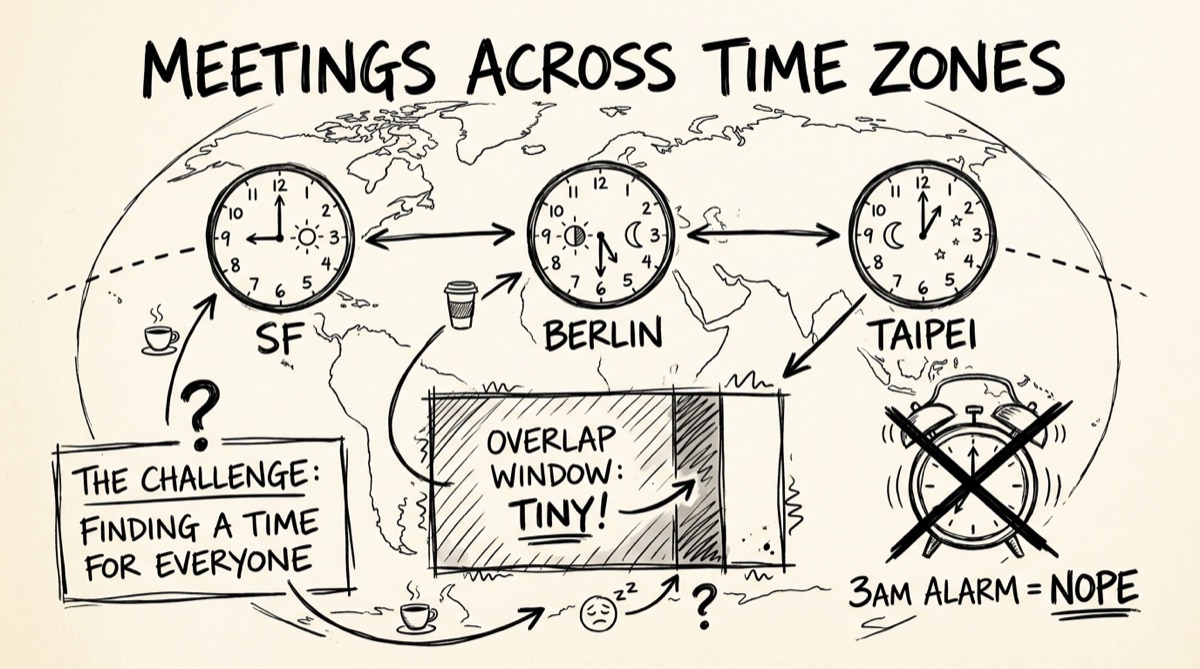
Your team stands up at 9am — except your engineer in Taipei is checking Slack at midnight, your designer in Berlin is mid-lunch, and you're in San Francisco wondering why nobody replied to the "quick call at 10am PT?" message. Nobody did the math wrong, exactly. They just did it in their own head, which is the actual bug.
Why Timezone Math Keeps Going Wrong
Three things break "just convert the time" in practice.
DST transitions don't happen on the same date everywhere. The US shifts clocks on the second Sunday of March and the first Sunday of November. The EU shifts on the last Sunday of March and the last Sunday of October. Those dates don't line up — for a week or two each spring and fall, the offset between New York and London is not the usual 5 hours, it's 4. Most of the world's population lives somewhere that doesn't observe DST at all (most of Asia, most of Africa), so a rule that's true in July can be false in November even though nobody in Taipei or Singapore changed anything.
"PT" is not a timezone — it's two timezones wearing a trench coat. Pacific Time is PST (UTC-8) for about four months a year and PDT (UTC-7) the rest. A calendar invite that says "10am PT" without a date is ambiguous by construction. Say it out loud to a colleague and they'll guess right most of the time. Feed it into a script, an API, or a calendar library, and it will guess wrong exactly when it matters — right around a DST boundary.
UTC is the only offset that doesn't move. Every timezone conversion problem gets simpler the moment you stop thinking "SF to Berlin" and start thinking "SF to UTC, UTC to Berlin." UTC has no daylight saving, no political timezone changes, no ambiguity. It's the anchor everything else is computed from — which is exactly how the tool below (and pretty much every timezone library) actually works under the hood.
Practical Rules for Scheduling Across 3+ Zones
Once a meeting has more than two participants, "just pick a time" stops being a one-person decision. A few rules that hold up in practice:
- Anchor to the smallest number of people who have to move. If 8 people are in US time zones and 1 is in Singapore, don't average — accept that the Singapore person eats an early or late call, and rotate who does it next time.
- Know the well-known overlap windows. US Pacific and Central Europe overlap cleanly around 8–10am PT / 5–7pm CET. US Eastern and India overlap around 7–9am ET / 4:30–6:30pm IST. Asia-Pacific (Singapore, Tokyo, Sydney) and US Pacific barely overlap at all — usually only a narrow window in the Pacific morning, which is why "follow-the-sun" support teams exist instead of one shared standup.
- Check the date, not just the time. A 9am meeting in Tokyo on Monday is still Sunday evening in San Francisco. This trips up async handoffs constantly — "end of day Friday" means something different depending on which Friday you mean.
- Recompute close to the meeting, not weeks ahead. If the meeting is scheduled before a DST boundary and held after one, the "same" local time in one city will land at a different UTC instant than it did when you first agreed on it. Re-check the conversion the week of the meeting, not just when you scheduled it.
How to Convert a Meeting Time with the Tool
orangebot.ai/tools/timezone-converter is built for the specific moment you're staring at a Slack message that says "does 10am PT work for you?" and you need the answer in the next 15 seconds — no account, nothing uploaded, works offline once the page has loaded.
- Pick your "From" zone. Search by city name (type "Taipei" or "Berlin") or scroll the list — it covers the major hubs teams actually schedule around: US Pacific/Mountain/Central/Eastern, São Paulo, UTC, London, Paris, Berlin, Moscow, Dubai, India, Bangkok, Shanghai, Hong Kong, Tokyo, Seoul, Singapore, Sydney, and Auckland.
- Set the date and time, or click "Use current time" to grab right now.
- Pick the "To" zone the same way. The result updates instantly — no submit button, no loading spinner.
- Use the swap arrow to flip direction without re-entering anything, and check the small "+Nh" badge for the raw offset between the two zones at that moment.
- Try the quick-pair buttons (Pacific ↔ Eastern, Pacific ↔ UTC, Eastern ↔ London, London ↔ Tokyo, Shanghai ↔ Pacific) if you're checking one of the routes most remote teams actually use — one click loads both zones and the current time.
- Glance at the World Clock strip below the converter for a live, ticking read on New York, London, Shanghai, Tokyo, and Sydney simultaneously — useful for "is anyone even awake right now" before you type a message.
Everything runs in your browser using the same Intl.DateTimeFormat API your OS already ships — nothing is sent to a server, which matters more than it sounds like it should when the meeting time itself reveals something about a deal, a launch, or who's on a call with whom.
IANA Zone Names vs. Abbreviations (For Developers)
If you're building anything that touches timezones, the first rule is: never store or compare "PT," "CET," or "GMT+8." Store IANA zone identifiers — America/Los_Angeles, Europe/Berlin, Asia/Taipei — and let the runtime resolve the actual offset for a given date. Abbreviations are ambiguous (CST means US Central and China Standard and Cuba Standard, depending who's talking) and don't encode DST rules. IANA names do both correctly, because they're really "this is the DST rulebook this place follows," not just an offset.
The browser-native way to go from an IANA name to a human-readable time, with the correct DST-adjusted offset baked in:
new Intl.DateTimeFormat('en-US', {
  timeZone: 'America/Los_Angeles',
  hour: '2-digit',
  minute: '2-digit',
  timeZoneName: 'short',
}).format(new Date());
// → "3:45 PM PDT" (or PST, depending on the date — Intl figures it out)
timeZoneName: 'shortOffset' gets you the raw GMT-7 / GMT+8 string if you need the numeric offset instead of an abbreviation — handy for building your own diff calculation without pulling in a full timezone library like date-fns-tz or luxon for what's ultimately a one-line conversion.
Honest Comparison: Which Tool for Which Job
Not every "timezone tool" solves the same problem, and picking the wrong one wastes more time than doing rough mental math.
- World Time Buddy — a horizontal multi-city grid, genuinely good for eyeballing overlap across 4+ locations at once. Saved location sets and some widgets sit behind sign-in.
- timeanddate.com's Meeting Planner — the oldest and most thorough option, handles a handful of locations with a visual chart, but the page is ad-heavy and some export features want an account.
- Doodle / Koalendar / Timezone Wizard — these aren't converters, they're poll tools: everyone votes on proposed times across their own local zone. Right tool when you have 6+ people and no obvious best slot, overkill for "what's 10am PT in Taipei."
- AI scheduling assistants (Skej and similar) — automate the back-and-forth entirely by reading calendars and proposing times. Useful if you're doing this daily across many people; more setup than a one-off conversion needs.
If the job is "I need one number, right now, and I don't want to make an account or wait for a server round trip," orangebot's converter is the fastest path — it's a calculator, not a scheduler. If the job is "9 people need to agree on a recurring time," reach for a poll tool instead. Use the right one; don't force a converter to do a scheduler's job or vice versa.
FAQ
Does the converter handle Daylight Saving Time automatically?
Yes. It resolves times through IANA zone data via Intl.DateTimeFormat, so the correct offset — including DST — applies automatically for whatever date you pick, not just today's date.
Why does 10am PT sometimes convert differently than I expect?
Because "PT" collapses two different offsets (PST at UTC-8, PDT at UTC-7) into one label. If you or the person you're scheduling with wrote down a PT time near a DST boundary, double-check which one was meant — the converter resolves this correctly once you pick an actual date, but a bare "PT" in a Slack message doesn't carry that information.
Is my meeting time or location data uploaded anywhere?
No. The conversion happens entirely in your browser using built-in JavaScript timezone data — nothing is sent to a server. That's also why it keeps working if your connection drops after the page has loaded once.
Can I compare more than two cities at the same time?
The main converter is pairwise (one "From," one "To") plus a live 5-city World Clock strip below it for a quick global glance. If you need a side-by-side grid across many participants for a recurring meeting, a dedicated planner like World Time Buddy is the better fit — see the comparison above.
What timezones are covered?
The major hubs remote teams actually schedule around: US Pacific, Mountain, Central, and Eastern, São Paulo, UTC, London, Paris, Berlin, Moscow, Dubai, India, Bangkok, Shanghai, Hong Kong, Tokyo, Seoul, Singapore, Sydney, and Auckland.
Do I need to sign up or install anything?
No. It's a free browser tool — no account, no extension, no app. Bookmark /tools/timezone-converter and it's ready whenever a "what time works for you?" message shows up.
Timezone conversion is one small piece of the "tools I need to not lose ten minutes to a browser tab farm" problem. If you're regularly juggling unit conversions alongside meeting times, see Unit Conversion Without the Tab Farm; if you need to time how long that meeting actually ran, Online Stopwatch and Countdown Timer is the same no-signup, client-side approach applied to elapsed time instead of clock time. Both live alongside the timezone converter on the full tools directory.