You don't need a LaTeX install to check one equation. You need to know if \frac{-b \pm \sqrt{b^2-4ac}}{2a} actually renders the way you think it does before you paste it into a paper, a Notion page, or a Stack Overflow answer. Opening Overleaf for that is like starting a car to check the oil.
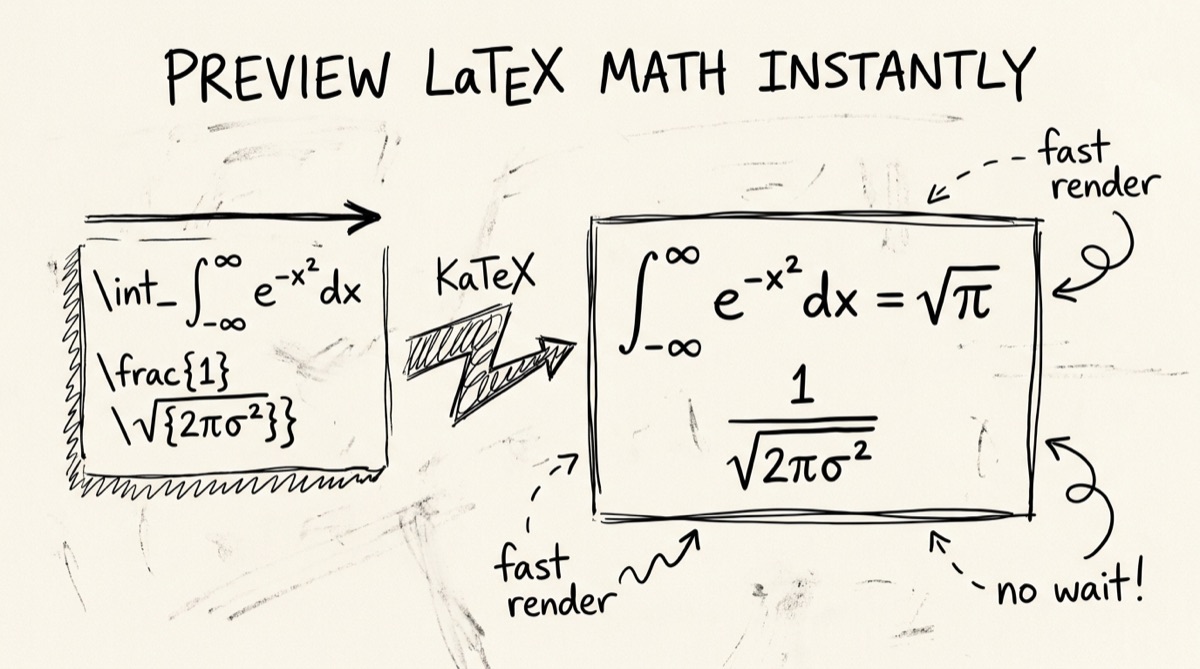
This post covers what KaTeX can and can't render compared to MathJax and full LaTeX, a cheat sheet for the math syntax people always forget, and how to check one equation fast — including LaTeX an LLM just handed you — without signing up for anything.
KaTeX vs MathJax vs Full LaTeX
These three solve different problems, and picking the wrong one wastes time.
KaTeX renders synchronously — it builds the equation's HTML/CSS layout in one pass, no reflow, no async font-metric lookups. That's why it feels instant as you type. The tradeoff is coverage: KaTeX implements a large but fixed subset of LaTeX math — the common AMS-math environments (matrix, pmatrix, bmatrix, cases, aligned, gathered), standard operators, Greek letters, most spacing commands. What it doesn't do: arbitrary LaTeX packages, TikZ diagrams, bibliography/citation commands, custom document classes, or full document structure (\documentclass, \usepackage, sections, table of contents). If your source uses a package beyond core math, KaTeX either silently ignores the macro or throws a rendering error for that span — it won't compile a full paper.
MathJax covers a broader slice of LaTeX math syntax and is more forgiving of edge-case notation, plus it ships better accessibility output (screen-reader-friendly MathML). The cost is speed: MathJax typesets asynchronously and reflows the page, which is noticeable the moment you're rendering more than a few equations live as someone types. It's the right choice when you need maximum syntax compatibility and don't need real-time feedback.
Full LaTeX (a local TeX distribution or Overleaf) is the only one of the three that actually compiles a document — packages, custom macros, bibliographies, TikZ, page layout, the works. It's also the slowest feedback loop: you write, you compile, you wait, you look at a PDF. For checking whether one formula is syntactically correct, that loop is overkill.
The practical rule: KaTeX for checking a formula fast, MathJax when you need broader syntax coverage or accessibility, full LaTeX when you're producing an actual document. Most "did I get this equation right" checks are a KaTeX job.
LaTeX Math Cheat Sheet (The Stuff You Always Forget)
Standard syntax, no exotic packages:
Inline vs block. Inline math sits inside a sentence: $x^2 + y^2 = r^2$. Block (display) math gets its own centered line: $$x^2 + y^2 = r^2$$. This is the single most common mistake — using single $ for a long equation squeezes it into the text line instead of centering it.
Fractions. \frac{a}{b} → a over b. Nested: \frac{1}{1 + \frac{1}{x}}.
Square roots. \sqrt{x} for a plain root, \sqrt[3]{x} for a cube root (or any nth root).
Sub/superscripts. x_i for a subscript, x^2 for a superscript, x_i^2 for both. Multi-character scripts need braces: x_{i+1}, not x_i+1 (which renders as x_i plus a separate +1).
Sums, products, integrals, limits. \sum_{i=1}^{n} i, \prod_{k=1}^{n} k, \int_{a}^{b} f(x)\,dx, \lim_{x \to \infty} f(x). The \, before dx is a thin space — small detail, makes integrals readable instead of cramped.
Matrices. Pick the delimiter via the environment name: \begin{pmatrix} a & b \\ c & d \end{pmatrix} for parentheses, \begin{bmatrix}...\end{bmatrix} for brackets, \begin{vmatrix}...\end{vmatrix} for a determinant. & separates columns, \\ separates rows.
Aligned / multi-line equations. \begin{aligned} (a+b)^2 &= a^2 + 2ab + b^2 \\ (a-b)^2 &= a^2 - 2ab + b^2 \end{aligned} — the & marks the alignment column (usually right before the =), so both lines' equals signs stack vertically.
Named operators. Plain text like min, max, det, log needs \operatorname{} or the built-in macro (\min, \max, \det, \log) — otherwise LaTeX italicizes each letter and it reads as a product of variables (m·i·n) instead of a word. Use \operatorname{argmax} for anything without a built-in shortcut.
Cases. f(x) = \begin{cases} x^2 & x \geq 0 \\ -x^2 & x < 0 \end{cases} for piecewise functions.
Greek letters and spacing. \alpha \beta \gamma \pi \theta \lambda for lowercase, \Gamma \Delta \Theta \Lambda capitalized. \quad and \qquad insert visible horizontal space when you need to separate terms without a comma.
How to Preview LaTeX Online (Step by Step)
/tools/latex-preview is a live LaTeX/Markdown editor: type on the left, KaTeX renders on the right, nothing leaves your browser.
- Open the editor. Go to orangebot.ai/tools/latex-preview. A sample document is preloaded — clear it or type over it.
- Type your equation. Wrap inline math in single dollar signs (
$E = mc^2$) or block math in double ($$\int_0^\infty e^{-x^2}dx$$). Because the editor also parses Markdown (viaremark-gfmandremark-math), you can mix headings, bold text, and tables around your equations — useful for drafting an actual notes page, not just a bare formula. - Use the snippet toolbar for boilerplate. Buttons for inline math, block math, fractions, square roots, sums, integrals, matrices, and aligned blocks insert the LaTeX skeleton at your cursor — faster than typing
\begin{pmatrix} a & b \\ c & d \end{pmatrix}from memory every time. - Watch the live preview. Rendering happens on every keystroke. Invalid syntax doesn't break the whole preview — KaTeX renders the broken span inline so you can spot exactly which command failed instead of staring at a blank page.
- Check the formula/char counter. The toolbar tracks how many formulas and characters are in your document — a quick sanity check that you didn't leave a stray
$unclosed (which would silently merge two formulas into one). - Drag in a file, if you have one. Drop a
.tex,.md,.markdown, or.txtfile onto the page (or use the upload button) and it loads straight into the editor — no copy-paste required. - Export what you need. "Copy rendered HTML" puts the rendered output's HTML on your clipboard — paste it into any rich-text editor that accepts HTML (Notion, a CMS, an email). "Download as HTML" saves a self-contained HTML file with the KaTeX stylesheet linked in, ready to open in a browser or hand to someone else.
Nothing here uploads your source. Since it's Markdown-based rather than a raw single-formula box, it also doubles as a spot-check for LaTeX embedded in longer notes — see the companion Markdown preview tool if you're mostly writing prose with the occasional formula rather than a page of pure math.
The AI-Era Angle: Checking LLM-Generated LaTeX
Ask any current LLM to "give me the LaTeX for the quadratic formula" or "write the softmax equation" and it will — confidently, and usually correctly for well-known formulas. The failure mode shows up on less common math: custom notation, multi-line derivations, anything with nested subscripts or a matrix the model had to construct from a verbal description. Two things go wrong in practice:
- Syntax that looks plausible but doesn't compile. Unbalanced braces, a
\begin{align}without the matching\end{align}, a command from a package KaTeX (or your target renderer) doesn't support. - Syntax that compiles but says the wrong thing. Misplaced subscripts, a sum's bounds swapped, a sign error baked into the LaTeX itself. This one is worse because nothing errors — the equation renders fine and is simply wrong.
Neither failure mode is visible by reading the raw LaTeX string. You have to render it. Before pasting an LLM's equation into a paper, a thesis, or permanent notes, drop it into /tools/latex-preview and actually look at the rendered output next to what you expected. It takes fifteen seconds and it's the only reliable way to catch a swapped sign or a bad bound before it's in a submitted document.
Honest Comparison: Where This Tool Fits
A few real alternatives, and where each one actually wins:
- CodeCogs Equation Editor — the oldest and most widely embedded LaTeX-to-image API (its output shows up on countless forums via hotlinked images). Strong if you need a generated image URL to embed on a site that can't run JS. Overkill, and slower, for just checking if your syntax is valid.
- latexeditor.lagrida.com — a fuller-featured LaTeX equation editor with a symbol palette and color support, account-gated for saving your codes. Good if you're building a library of reusable formulas; adds friction if you just need one quick check.
- Overleaf — the standard for actually writing a LaTeX document or paper. Full package support, collaboration, PDF compile. The wrong tool for "is this one formula right" — you're compiling a whole project to check a line.
- orangebot's LaTeX Preview — no account, no project, no upload. Paste, see it render, copy the HTML or download it. The right tool when the job is "check this equation" or "draft a page of math notes," not "typeset a paper."
If you're going to submit a document, you eventually need real LaTeX or at least MathJax's broader coverage. If you're validating a formula before it gets there, a KaTeX-based, browser-only preview is faster for that one job.
FAQ
Do I need LaTeX installed to preview an equation?
No. KaTeX is a JavaScript library that renders math directly to HTML/CSS in the browser — no TeX distribution, no compile step, no server round-trip.
Why doesn't my equation with \begin{align} and equation numbers render?
KaTeX's supported environments are matrix, pmatrix, bmatrix, vmatrix, cases, aligned, and gathered — not the full amsmath package. Use \begin{aligned}...\end{aligned} instead of \begin{align} for multi-line alignment; it covers the same alignment use case within KaTeX's supported subset.
Is my LaTeX uploaded anywhere?
No. Everything — parsing the Markdown, rendering the math, generating the copy/download output — runs in your browser. Nothing is sent to a server.
Can I mix regular Markdown with my LaTeX?
Yes. The editor parses full GitHub-flavored Markdown alongside math delimiters, so headings, bold/italic text, lists, and tables render normally around your equations — it's built for a notes page, not just an isolated formula box.
How do I get my rendered equation into Notion, Google Docs, or an email?
Use "Copy rendered HTML" to copy the rendered output's HTML to your clipboard, then paste into any editor that accepts rich HTML. For a standalone file, use "Download as HTML" — it produces a self-contained page with the KaTeX stylesheet already linked.
What's the difference between single $ and double $$?
Single $...$ renders inline, inside your paragraph's text flow. Double $$...$$ renders as a centered block on its own line. Using single dollars for a large equation (a matrix, a long sum) will cram it awkwardly into the text line — switch to double dollars.
For more browser-based writing tools, see the full tools directory, or check converting Markdown notes to Google Docs if your LaTeX is headed into a doc rather than a slide or a blog post.