ChatGPT or Claude just handed you a beautifully structured answer — headings, a comparison table, maybe an equation — all in Markdown. Your boss, your client, or your co-founder lives in Google Docs and wants a doc, not a .md file. You paste the raw text in and get a wall of ##, **bold**, and stray pipe characters instead of formatting.
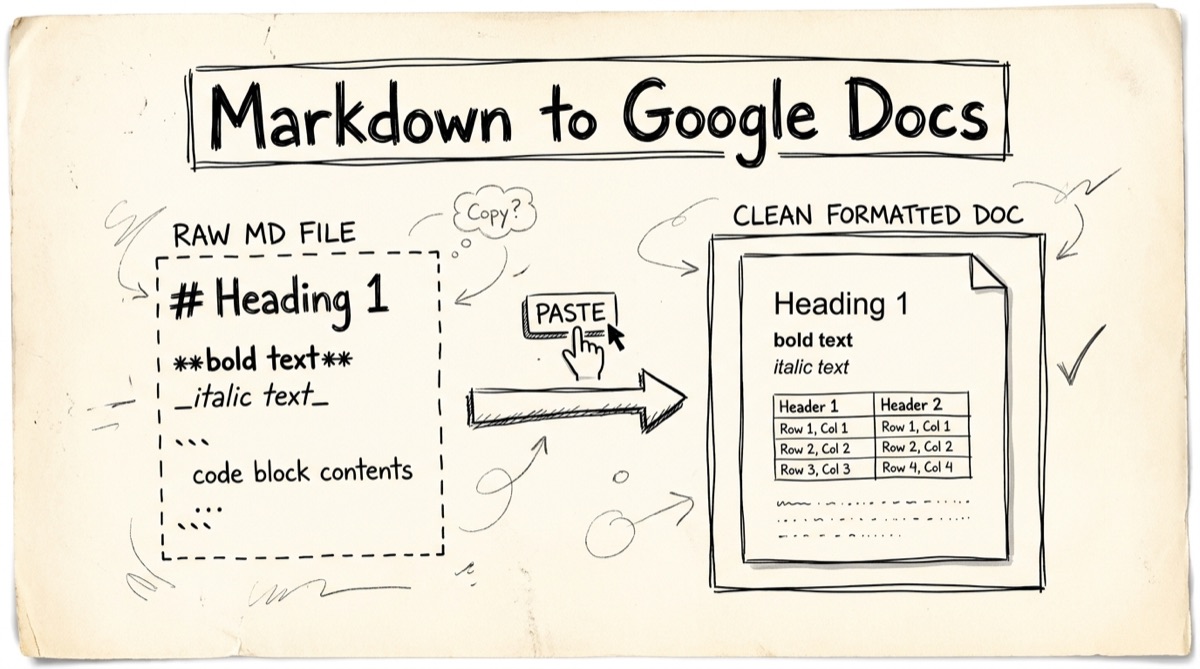
This happens because Google Docs is not a Markdown renderer — Markdown is a formatting shorthand, and Docs has to actively parse it into styled text. Whether that parsing happens depends on account settings, your browser, and what the source content actually contains. Here's what breaks, what Google Docs can and can't do natively, and how to get truly paste-ready output — including the one thing almost nothing handles well: math.
What Actually Breaks When You Paste Raw Markdown
Copy a .md file straight out of ChatGPT, a README, or a notes app and paste it into a blank Google Doc. Here's what happens to each element:
- Headings (
# Title,## Section) — the hash marks paste as literal characters at the start of a plain paragraph. No size change, no bold weight. - Tables (
| Col 1 | Col 2 |) — collapse into a single line of pipe-and-dash text. No grid, no borders, no header row styling. - Code blocks (
```) — the triple backticks paste as text; the content stays in the default proportional font with no background shading, so inline code is indistinguishable from prose. - Bold, italic, strikethrough — the
**,_, and~~markers show up as literal asterisks and underscores wrapped around unstyled text. - Math (
$E = mc^2$,$$...$$) — this is the one nobody's converter handles well. Dollar-sign delimited LaTeX pastes as raw source text — dollar signs, backslashes, curly braces and all. Nothing in the standard Markdown-to-Docs pipeline recognizes$...$as math at all.
The result is a Google Doc that looks like a text dump, not a document. You end up manually re-typing headings and rebuilding tables by hand — the exact busywork Markdown was supposed to save you from.
Google Docs' Native Markdown Support (and Its Real Limits)
Google Docs actually does have built-in Markdown handling now, and it's worth knowing before reaching for any third-party tool — it might be all you need for simple text.
Go to Tools → Preferences in a Google Doc and check "Enable Markdown." Once it's on, two things happen:
- Paste-from-Markdown: paste Markdown text into the doc and Docs auto-converts headings, bold/italic/strikethrough, ordered and unordered lists, links, and blockquotes into real formatting.
- Type-as-you-go shortcuts: typing
##at the start of a line and hitting space converts it live into a Heading 2, the same way it works in Notion or GitHub's editor.
You can also skip the toggle entirely and import a .md file directly — upload it to Google Drive and open it, or use File → Open, and Drive converts it into a native Google Doc on the spot. The reverse works too: File → Download → Markdown exports any Doc back to .md.
Real limits worth knowing before you rely on this:
- It's off by default and per-account. If you're collaborating, your setting doesn't carry over to a colleague's account — everyone who wants paste-from-Markdown has to enable it themselves.
- Browser reliability has historically been inconsistent. Chrome is the most reliable target; some users on other browsers have hit "this action is unavailable in your browser" errors on Markdown-related menu actions.
- No math support, at all. Google's own Markdown documentation covers headings, emphasis, lists, links, blockquotes, and code — LaTeX math delimiters (
$...$,$$...$$) aren't part of the spec. Paste math and you get literal dollar signs and backslashes. Docs does have a separate equation editor (Insert → Equation) that understands LaTeX-like shorthand, but that's a manual, per-equation tool you type into directly — it doesn't fire off pasted Markdown math automatically. - Syntax highlighting never survives, by any method. Code blocks become plain monospace text with no language-aware coloring, whether you use native Markdown paste, an add-on, or a converter site.
So: for plain text-and-lists content, native Markdown paste is genuinely good and free. For anything with tables you want styled precisely, or any math, you need something else.
How to Convert Markdown to Google Docs with orangebot.ai
orangebot.ai's Markdown to Google Docs tool is built specifically for the case native Docs support misses: math-heavy content that needs to paste in one shot, formatted, without installing anything or uploading your file anywhere.
- Paste your Markdown. Type or paste into the left-hand editor. It supports GitHub Flavored Markdown — tables, task lists, strikethrough — plus inline math (
$E=mc^2$) and block math ($$...$$). - Check the live preview. The right pane renders a Roboto-typeset page styled to match a real Google Doc — same font, same point sizes, same link-blue — with math rendered live via KaTeX. What you see is close to what you'll get after pasting.
- Click "Copy for Google Docs." This is the important step: the tool doesn't just copy the rendered preview as-is. It clones the preview, applies inline CSS to every element (so formatting survives Docs stripping external stylesheets), and — this is the part other converters skip — flattens each KaTeX equation into clean, readable symbol text pulled from its underlying MathML, rather than pasting raw
$...$source or a broken image/canvas snippet. The clipboard write includes bothtext/htmlandtext/plain, so it works with any paste target. - Paste into your Google Doc (Cmd/Ctrl+V). Headings, bold/italic, bulleted and numbered lists, tables, blockquotes, and code blocks all land with formatting intact.
Worth being precise about the math handling since it's the headline feature: the equation doesn't become a live, double-click-to-edit Docs equation object — Docs' clipboard API doesn't expose a way to inject those from external HTML. What you get instead is readable, properly spaced symbolic text in place of the equation, italicized so it still reads as math on the page. It's the difference between an equation you can look at and one you can double-click to edit — for most "I need this in a doc for someone to read" cases, that trade is the right one.
Other things worth knowing: a formatting toolbar for quick bold/italic/heading/math/code insertion, drag-and-drop upload of a .md/.markdown/.txt file, a button to copy the raw Markdown source, a button to download a standalone .html file with styling embedded, and a shareable link that encodes your Markdown into the URL hash. All of it — parsing, rendering, clipboard construction — runs in your browser. Nothing is sent to a server.
Sidebar: Batch Conversion with Pandoc
If you're converting a folder of Markdown files rather than one at a time, a browser tool isn't the right shape — script it with pandoc instead:
pandoc report.md -f markdown -t docx -o report.docx
Drop the resulting .docx into Google Drive and double-click it — Drive auto-converts it to a native Google Doc on open (or right-click → "Open with → Google Docs"). Pandoc's advantage: math comes through as genuine, editable Office Math (OMML) objects rather than flattened text. The trade-off is a two-step, file-based workflow with no live preview. For a one-off "get this into a doc right now" task, pasting is faster; for a batch of report exports, script it.
Which Method Should You Actually Use
- Plain text, headings, and lists, no math, single Google account you control → turn on Docs' native "Enable Markdown" and paste directly. It's free, built in, and needs nothing else.
- Tables and code that need to look right, or math involved, and you want it now → orangebot.ai's converter. Client-side, no install, handles math by flattening it to clean readable text instead of leaving raw LaTeX source in the doc.
- You do this constantly inside Docs itself and don't mind granting an add-on access → a Workspace Markdown add-on (several exist in the Marketplace) that runs conversion from inside the Docs Extensions menu.
- Batch or scripted conversion, math needs to stay as editable equation objects →
pandocto.docx, then open in Drive.
None of these are wrong — they solve different problems. The mistake is using the wrong one for math: neither Docs' native Markdown paste nor most general-purpose Markdown-to-Docs converter sites handle LaTeX at all, so if your source has equations, check that first before you pick a tool.
FAQ
Does Google Docs support Markdown natively?
Yes, partially. Turn on Tools → Preferences → "Enable Markdown" to get paste-from-Markdown and type-as-you-go heading shortcuts. It covers headings, bold/italic/strikethrough, lists, links, and blockquotes — not tables' visual styling nuances and not math.
Why does pasting Markdown into Google Docs show raw # and ** symbols?
Almost always because "Enable Markdown" is off in that account's Docs preferences — it's off by default. Turn it on and try the paste again. If it still doesn't convert, some browsers have had inconsistent support for Markdown-related paste actions; Chrome is the safest bet.
Can I paste LaTeX math into Google Docs and have it render?
Not through Docs' native Markdown paste — $...$ and $$...$$ delimiters aren't part of what it parses, so they paste as literal text. Docs' separate equation editor (Insert → Equation) understands LaTeX-style shorthand, but you have to open it and type into it manually per equation. A converter that flattens KaTeX-rendered math to readable text before copy, like orangebot's tool, gets you a clean-looking paste in one step instead.
Is my Markdown uploaded anywhere when I use the orangebot.ai tool?
No. Parsing, the live preview, and the clipboard formatting all happen in your browser. Nothing is sent to a server — you can check this yourself by opening DevTools' Network panel, disconnecting Wi-Fi, and confirming the tool still works.
Does it preserve tables, task lists, and code blocks?
Yes. GitHub Flavored Markdown tables, task lists, and strikethrough all render and carry through to the copied output, along with code blocks in a monospace, background-shaded style (without syntax-highlighting colors — that's a Google Docs limitation no converter works around).
What if I need to convert dozens of files at once?
Use pandoc from the command line to batch-convert .md files to .docx, then open each in Google Drive, which auto-converts them to native Docs. A browser-based paste tool is built for one document at a time, not a scripted batch job.
For rendering Markdown before you commit to any of this, see previewing Markdown online, GitHub-style. If your equations are the whole reason you're stuck, rendering LaTeX online with KaTeX covers the math side in more depth. Both tools, and the rest of orangebot's browser-based utilities, live at orangebot.ai/tools.