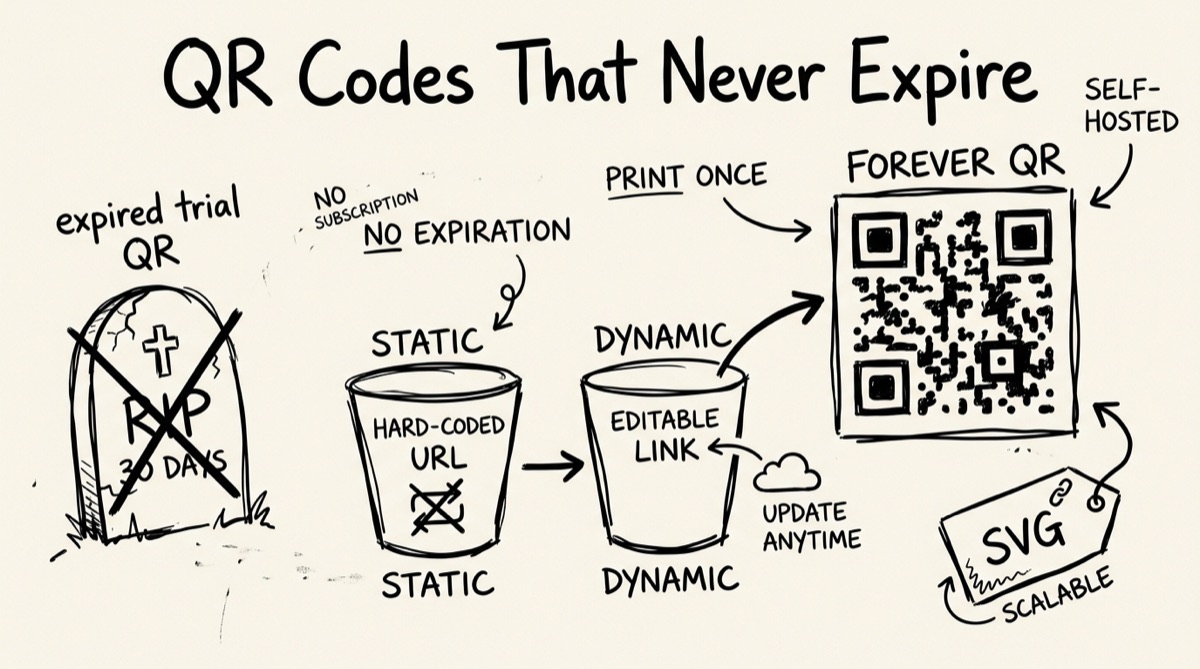
You printed 500 flyers with a QR code on them. Two weeks later someone scans one and lands on a "this code has expired — upgrade to reactivate" page instead of your menu, your landing page, your portfolio. You didn't do anything wrong. You just picked one of the many "free" QR generators that hands out a working code today and quietly deactivates it once your trial runs out.
This is not a rare edge case. It's the default business model for most of the tools that rank for "free QR code generator." This post explains why that happens, how QR encoding actually works, and how to make a QR code — using orangebot's free QR generator or any static tool — that keeps working for as long as the paper it's printed on survives.
Static vs Dynamic QR Codes — The Expiring-QR Business Model, Exposed
Every QR code falls into one of two categories, and the difference explains almost everything about why "free" QR tools behave the way they do.
A static QR code encodes your actual content — the URL, the text, the Wi-Fi password — directly into the black-and-white pattern. No server is in the loop. Scan it in ten years and it still works, as long as whatever it points to still exists. Nobody can revoke it, because nobody is hosting it.
A dynamic QR code encodes a short redirect URL owned by the generator, something like qrgen.io/a1b2c3. Their server looks up what that code should currently point to and forwards the scanner there — genuinely useful, since you can change the destination after printing and get scan analytics. But it comes with a structural catch: the code only works as long as that company's server keeps redirecting it.
That structural catch is exactly what the free tiers exploit. Research into the current crop of "free QR code generator" tools turns up the same pattern over and over: free plans hand you one to five dynamic codes, often with scan caps (500 scans and you're done), a redirect page showing the tool's own branding before it forwards the visitor, and — critically — an expiry window. Some are upfront about it (a 7 or 14-day trial that deactivates every code the moment it ends); others just call it a "free plan" and change the terms later. Either way, the code printed on your business card or event signage is a rented asset, not an owned one. Stop paying, or the company shuts down, and every printed copy silently breaks.
None of this makes dynamic QR codes a scam — if you genuinely need to edit the destination after printing or want scan analytics, that's a real feature worth paying for. The problem is the free tier being used as a trap for people who don't need editability at all: a restaurant menu, a Wi-Fi password, a contact card. Those use cases want exactly what a static code already provides, permanently, for free — but get funneled into a dynamic code because that's what converts to a subscription.
The fix: if you don't need to change the destination after printing, use a static QR code. orangebot.ai/tools/qr-generator only makes static codes — the content is baked into the pattern, generated in your browser, with nothing to expire because there's no server-side lookup to expire.
How QR Encoding Actually Works (Briefly)
A QR code is a grid of black and white modules encoding data with Reed-Solomon error correction — the same math family used in CDs and DVDs to survive scratches. It's why a code with a chunk torn off, a coffee stain, or a logo pasted in the middle can still scan: part of the grid is redundant, and the decoder reconstructs the rest from what's left.
You control how much capacity goes to redundancy versus payload via four levels:
| Level | Damage it survives | Trade-off |
|---|---|---|
| L (Low) | ~7% | Least dense, easiest to scan small |
| M (Medium) | ~15% | Default balance for general use |
| Q (Quartile) | ~25% | Denser, more forgiving on rough prints |
| H (High) | ~30% | Densest — needed if you're overlaying a logo |
Higher correction means a visually busier grid for the same content — more cells go to redundancy instead of payload. A short URL at Medium stays small and easy to scan; the same content at High gets noticeably denser, worth it for a code that'll get scuffed or carry a logo, overkill for a clean digital slide.
Resolution matters too. A PNG is a fixed grid of pixels — enlarge it past native resolution and the edges blur, pushing small modules below what a phone camera resolves. Generate at the largest size you'll plausibly need (orangebot's tool goes up to 1024px) rather than scaling a small export up later — that's the difference between crisp at poster size and mush.
Wi-Fi and vCard QR Codes: What They Actually Encode
Two content types come up constantly for personal and small-business use, and both are natural fits for a static code.
Wi-Fi QR codes encode a standardized string — network name, password, encryption type — in a format phones recognize automatically: WIFI:T:WPA;S:MyNetwork;P:mypassword;;. Scan it with a modern phone (iOS 11+, Android 10+) and the OS offers to join the network directly. It's a static payload with no server involved, so there's no reason it should ever expire — you can encode one by typing that string directly into a plain-text QR generator.
vCard QR codes work the same way: a contact card — name, phone, email, organization — encoded as plain text following the vCard format. Scanning it prompts the phone to save a new contact. Like Wi-Fi, it's entirely self-contained once generated.
Both are exactly the "I just need this to work forever" use case that gets mis-sold as a dynamic code by tools optimizing for subscription conversion, when a static text QR does the job permanently.
How to Make One: Step by Step
Using orangebot.ai/tools/qr-generator:
- Enter your text or URL. Paste the full link (including
https://) or type plain text into the box. The character counter shows how much capacity you're using — a QR can hold up to roughly 4,296 alphanumeric characters, though past a couple hundred the grid gets noticeably denser. - Pick a size. Choose 128, 256, 512, or 1024px, matched to scan distance — small for a receipt or business card, larger for a poster or storefront window.
- Set the error-correction level. Low or Medium for anything staying digital or printed cleanly; Quartile or High if it'll be handled a lot or exposed to wear.
- Customize colors. Set foreground/background to match your branding, keeping contrast high — low-contrast combinations can fail to scan on cheaper cameras.
- Download. Click "Download PNG" to save the code, sized to whatever you picked in step 2. A "copy" button next to it copies the raw text/URL for reuse elsewhere.
It all runs client-side, rendered directly in your browser tab — no upload, no account, no server storing what you encoded.
Honest Comparison: Free QR Generators in 2026
"Free" means very different things depending on the tool. Here's how it breaks down, based on published pricing pages as of mid-2026:
| Tool | Static codes | Dynamic codes (free tier) | Account required | Notes |
|---|---|---|---|---|
| orangebot.ai QR Generator | Unlimited, free | Not offered | No | In-browser, PNG export, no expiry — no server-side redirect to expire |
| QRCode Monkey | Unlimited, free | Not offered | No | Static-only, with logo uploads and SVG export |
| Canva / Adobe Express | URL-only, free | Not offered | Yes | Account required just to download |
| QR Tiger | Unlimited, free | 3 codes, 500-scan cap each | Yes | Free-tier dynamic codes show branding, deactivate at the cap |
| Bitly | Not the focus | 5 codes, paid tier only ($29/mo) | Yes | Dynamic-only product |
| Generic trial-based "free QR" sites | Varies | 1–3 codes, 7–14 day trial | Usually | Codes stop redirecting entirely once the trial ends |
If you need editable, trackable codes with analytics, that's a legitimate paid feature — pick a tool upfront about what its free tier includes (scan caps, expiry, branding) rather than one that buries it in the FAQ. If you don't need editability, skip the dynamic-code category entirely — there's no reason to hand over an email address, or risk a broken printed code, for a QR that just needs to point at one URL forever.
FAQ
Do free QR codes expire?
Static ones don't — the content is embedded in the code itself. Dynamic ones can, because they depend on the generator's server and your account staying active. Many "free" dynamic tiers are time-limited trials even when marketed as a free plan.
What's the difference between a static and dynamic QR code?
Static bakes the destination directly into the pattern — no server, nothing to break. Dynamic points to a redirect URL the generator controls, which forwards the scanner onward. That lets you edit the destination later and see scan analytics, but only for as long as the generator keeps redirecting.
Does image resolution matter for a printed QR code?
Yes — export at the largest size you'll need rather than scaling up afterward. A PNG enlarged past its native resolution blurs at the edges and can push small modules below what a phone camera resolves. Orangebot exports up to 1024px, crisp from business-card size up to a mid-size poster.
What error-correction level should I use?
Medium is the right default. Bump to Quartile or High if the code will be printed small, handled a lot, or has a logo overlaid in the center — High can reconstruct data a logo covers; Low generally can't.
Can a Wi-Fi QR code steal my password?
No more than writing it on a sticky note by the router. The code just encodes the SSID, password, and encryption type — it doesn't transmit anything or contact a server. Anyone who scans it can join the network, same as if you'd said the password out loud.
Why doesn't orangebot's QR generator offer scan tracking?
Tracking needs a server in the loop, and not running one is exactly why the codes never expire and never require an account. If you need analytics, that's a real reason to use a dynamic tool — just check what its free tier actually includes before you print anything.
For more on tracking links the right way — the kind that's transparent about what it collects — see the complete guide to UTM parameters. And if you're pairing a QR code with a screenshot in your marketing materials, here's how to make screenshots look professional without a design tool. For the rest of orangebot's free, in-browser utilities, see orangebot.ai/tools.